
Reading/Writing Camera Parameter Files
A usual workflow when developing an application using Ensenso cameras uses NxView to determine the optimal camera parameters, save those to a file and then load the file in the application software. This guide explains how to save and load camera parameters in NxView and customer applications. Code examples for reading and writing parameter files can be found below. We recommended to load camera parameter files using the (Filename) parameter of the LoadParameters command. Parameters files can be saved using the corresponding (Filename) parameter of the SaveParameters command.
Parameter Import/Export from NxView
When setting up your camera in NxView you can easily import and export parameters by opening the parameters dialog and pressing either the Load or Save button in the top right corner.
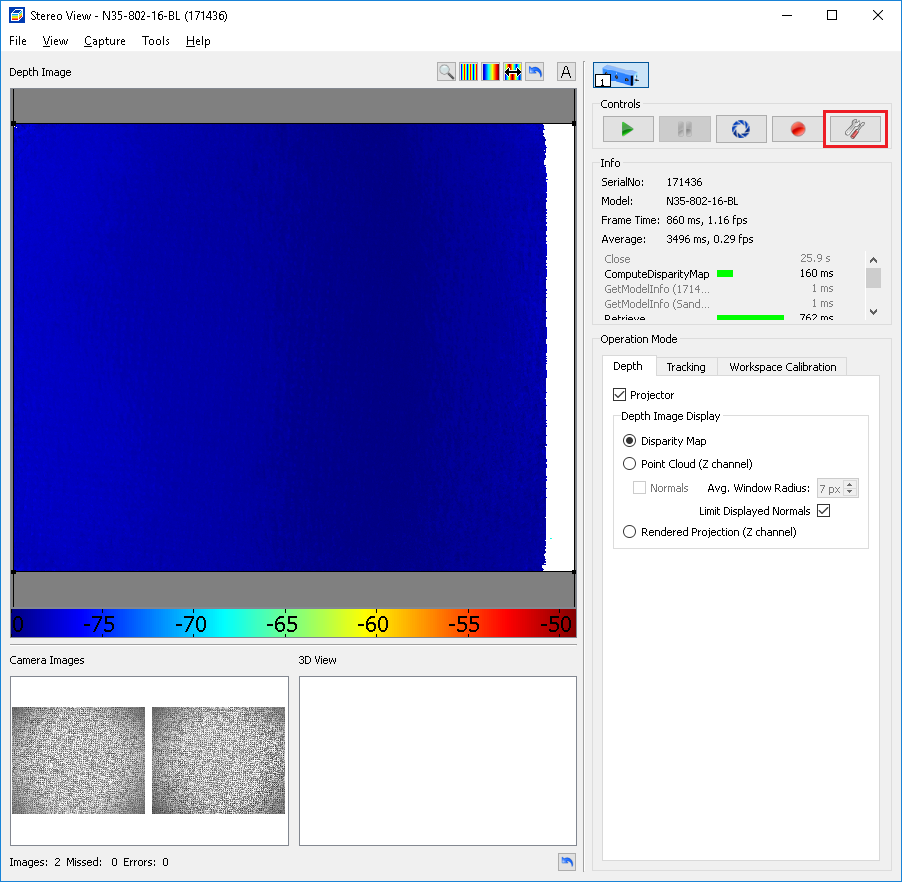
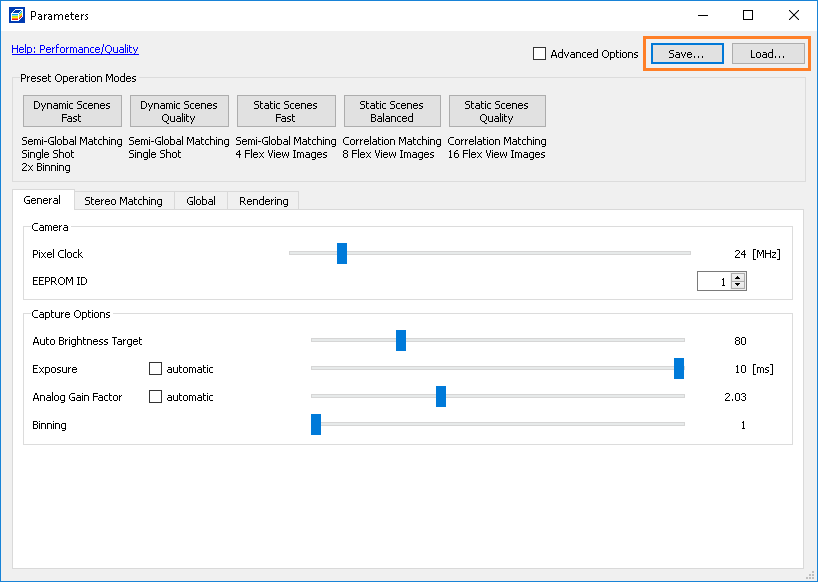
Saving parameter files will always save the complete camera node including calibration, link and parameters. When loading a parameter file, NxView will let you select whether you want to load the camera parameters only, or if you want to restore link and/or calibration as well from this file. Note that even after loading calibration and link, these values are not stored into the camera eeprom until you manually execute StoreCalibration.
With B- and C-series devices you can also save the parameters to the device memory, which makes it easy to transfer them to another system.
Code Examples
Load Parameters
// Replace by your camera's serial number.
std::string serial = "1234";

// Open the camera.
NxLibCommand open(cmdOpen);
open.parameters()[itmCameras] = serial;
open.execute();

// At this point the Parameters subtree /Cameras/BySerialNo/1234/Parameters contains the default values for all
// settings, the Calibration subtree /Cameras/BySerialNo/1234/Calibration contains the calibration loaded from the
// camera and the link subtree /Cameras/BySerialNo/1234/Calibration contains the loaded link.

// Assume we saved a file 'params.ensparam' from NxView that we now want to load the Parameters subtree from.
NxLibCommand load(cmdLoadParameters);
load.parameters()[itmCameras] = serial;
load.parameters()[itmSource][itmFilename] = "params.ensparam";
load.execute();
// Replace by your camera's serial number.
std::string serial = "1234";

// Open the camera.
NxLibCommand open(cmdOpen);
open.parameters()[itmCameras] = serial;
open.execute();

// At this point the Parameters subtree /Cameras/BySerialNo/1234/Parameters contains the default values for all
// settings, the Calibration subtree /Cameras/BySerialNo/1234/Calibration contains the calibration loaded from the
// camera and the link subtree /Cameras/BySerialNo/1234/Calibration contains the loaded link.

NxLibCommand load(cmdLoadParameters);
load.parameters()[itmCameras] = serial;
load.parameters()[itmSource][itmDevice] = true;
load.execute();
Save Parameter File
NxLibCommand save(cmdSaveParameters);
save.parameters()[itmCameras] = serial;
save.parameters()[itmFilename] = "params.ensparam";
save.execute();
Format of JSON Parameter Files
A parameter file is a text file and contains the complete camera tree structure with all node names and values in JSON format. A parameter file should have a .ensparam filename extension. A parameter file created using the SaveParameters command contains additional information, such as the version of the NxLib the the file was created from, which can be used when loading the parameter file with the LoadParameters command.